
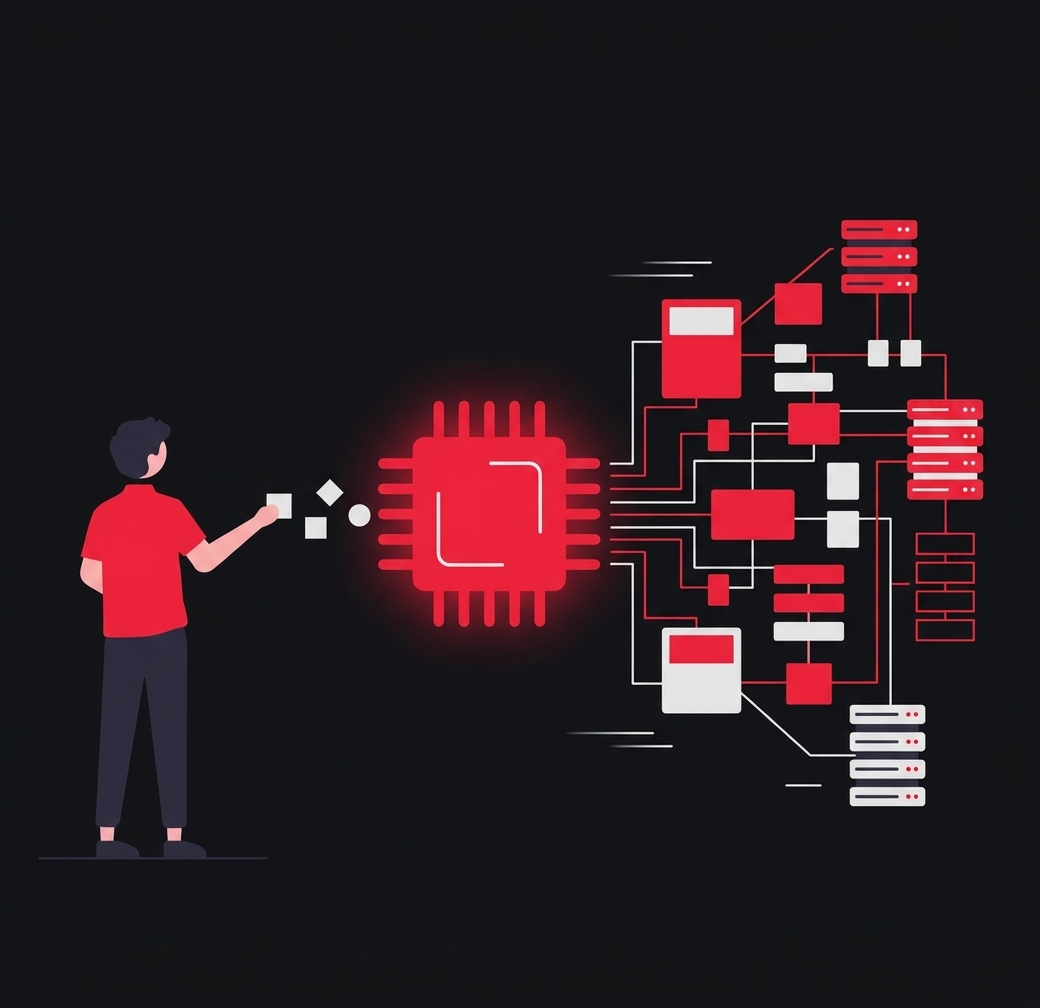
AI code generation tools are fundamentally changing software production for businesses. Their influence extends far beyond mere code writing—from detecting vulnerabilities and facilitating understanding of unfamiliar codebases to simplifying documentation and pull request descriptions. They are fundamentally reshaping how developers approach application infrastructure, deployment, and the overall work experience. We are witnessing a significant inflection point. Albert Ziegler, a principal researcher and member of the GitHub Next team, likens resisting AI adoption to "asking an office worker to use a typewriter instead of a computer."
In this post, we'll take a deep dive into the inner workings of AI code generation, exploring its functions, capabilities, and benefits, and how developers can leverage it to enhance their work and propel their business forward in today's competitive landscape.
AI code generation refers to full or partial lines of code that are created by machines instead of human developers. This emerging technology leverages advanced machine learning models, particularly large language models (LLMs), to understand and replicate the syntax, patterns, and paradigms found in human-written code.
The AI models powering these tools, such as ChatGPT and GitHub Copilot, are trained on natural language text and source code from publicly available sources that encompass a wide array of code examples. This training enables them to comprehend the nuances of different programming languages, coding styles, and common practices. As a result, AI can generate code suggestions that are syntactically correct and contextually relevant based on developer inputs.
GitHub Copilot, our AI pair programmer that is favored by 55% of developers, provides contextualized coding assistance across dozens of programming languages based on your organization's codebase and is intended for developers of all experience levels. With GitHub Copilot, developers can use AI to generate code in three ways:
The oldest version of AI code generation is code autocompletion. John Berryman, a senior ML researcher on the GitHub Copilot team, describes the user experience: "I'm writing code, and I pause for a minute to think. And while I'm thinking, the agent is also thinking, looking at the surrounding code and the content in adjacent tabs. And then it pops up on the screen as gray 'ghost text' that I can reject, partially accept, or fully accept and then, if necessary, modify."
While every developer can benefit from using AI coding tools, experienced programmers often feel those benefits even more. "In many cases, particularly for experienced programmers in a familiar environment, the suggestion speeds us up. I would have typed the same thing. It's just faster to press 'tab' (thereby accepting the suggestion) than to type those 20 characters myself," says Johan Rosenkilde, a principal researcher for GitHub Next.
Whether developers are novices or highly experienced, they will often need to work in less familiar languages, and GitHub Copilot's code completion suggestions can help. "Using GitHub Copilot for code completion has really helped speed up my learning experience," says Berryman. "Often, I'll accept a suggestion because it's something I wouldn't have typed myself because I don't know the syntax." Using an AI coding tool has, in and of itself, become an invaluable skill. The more developers practice coding with these tools, the faster they will learn to work with them.
For experienced developers in unfamiliar environments, tools like GitHub Copilot can even help jog their memory. Imagine a developer imports a new library they haven't used or don't remember. They might be trying to figure out a standard library function or the order of arguments. In these cases, it can be helpful to explicitly give GitHub Copilot a hint of where a developer is going by writing a comment.
"It's quite likely that a developer might not be able to remember the pattern but can recognize it, and GitHub Copilot can remember it when prompted," says Rosenkilde. This is where natural language commenting comes into play: it can be shorthand for explaining intent when a developer is struggling with the first few characters of code they need.
If developers give their functions and variables specific names and write documentation, they can get better suggestions. This is because GitHub Copilot can read variable names and use them as an indicator of what a given function is meant to do. This changes the way developers write code for the better, because code with good variable and function names is more maintainable. And often, a programmer's main job is to maintain code, not write it from scratch.
"When you submit that code, someone is going to review it, and they're probably going to have an easier time reviewing it if it's well-named, if it has a hint of documentation as well, and so on," says Rosenkilde. In this sense, the symbiotic relationship between a developer and an AI coding tool is not only beneficial for the developer but for the entire team.
With AI chatbots, code generation can be more interactive. GitHub Copilot Chat, for example, allows developers to interact with code by asking it to explain code, improve syntax, provide ideas, generate tests, and modify existing code—making it a versatile ally in managing coding tasks.

Brauchen Sie Hilfe mit Ihrer Website oder App?
Melden Sie sich, und ich antworte innerhalb von 24 Stunden mit einem Vorschlag für das weitere Vorgehen.
Rosenkilde leverages GitHub Copilot's different functionalities. "When I want to do something, and I can't remember how to do it, I'll type the first couple of letters, and then I'll wait to see if Copilot guesses what I'm doing," he says. "If that doesn't work, maybe I'll delete those characters and type a single-line comment and see if Copilot guesses the next line. If even that doesn't work, I'll go into Copilot Chat and explain in more detail what I want to do."
Typically, Copilot Chat will return something much more verbose and complete than what you'll get from GitHub Copilot's code completion. "Namely, it'll describe what you want to do and how that can be achieved. It'll give you code examples, and you can respond and say, 'Ah, I see where you're going. But actually, I meant it more like this,'" says Rosenkilde. However, using AI chatbots does not mean that developers should be passive. Reasoning errors could lead the AI to make further mistakes if left unchecked. Berryman recommends that users interact with the chat assistant similar to how they would pair program with a human. "Go back and forth with it. Tell the assistant about the task you're working on, ask for ideas, get help writing code, and critique and redirect the assistant's work to keep it on the right track."
GitHub Copilot is designed to empower developers to realize their ideas. As long as it has some context from which to draw, it will likely generate the type of code a developer wants. However, this does not replace code reviews between developers. Code reviews play a vital role in maintaining code quality and reliability in software projects, irrespective of whether AI coding tools are involved. In fact, the earlier developers catch errors in the code development process, the cheaper it is by orders of magnitude.
A common verification would be: Does the code parse? Do the tests work? With AI code generation, Ziegler explains that developers should "carefully examine in sufficient detail to be confident that the generated code is correct and free of errors. Because if you use such tools poorly and just accept everything, then the errors you introduce will cost you more time than you save." Rosenkilde adds, "Reviewing with another human is not the same thing, right? It's a conversation between two developers about whether this change fits into the kind of software they're building in this organization. GitHub Copilot does not replace that."
When development teams leverage AI coding tools across the entire software development lifecycle, they gain a range of benefits. AI code generation can significantly accelerate the development process by automating repetitive and time-consuming tasks. This means developers can focus on high-level architecture and problem-solving. In fact, 88% of developers reported feeling more productive when using GitHub Copilot.
Rosenkilde reflects on his own experience with GitHub's AI pair programmer: "95% of the time, Copilot brings me joy and makes my day easier. And it doesn't change the code I would have written. It doesn't change the way I would have written it. It doesn't change the design of my code. All it does is make me write the same code faster." And Rosenkilde isn't alone: 60% of developers feel more satisfied with their work when using GitHub Copilot.
The benefits of faster development aren't just about speed: they're also about alleviating the mental effort that accompanies completing tedious tasks. For example, when debugging, developers must reverse engineer to discover what went wrong. Detecting a bug can involve scouring an endless list of potential hiding places where it might be lurking, making it repetitive and tiring work. Rosenkilde explains, "Sometimes when you're debugging, you just have to resort to making print statements, which you cannot avoid. Luckily, Copilot is brilliant at print statements." A full 87% of developers reported expending less mental effort on repetitive tasks with the help of GitHub Copilot.
In software development, context switching is a situation where developers shift between different tasks, projects, or environments, which can disrupt their workflow and reduce productivity. They also often grapple with the stress of juggling multiple tasks, remembering syntax details, and managing complex code structures. With GitHub Copilot, developers can bypass several layers of context switching, staying within their IDE instead of searching on Google or jumping to external documentation.
"When I write natural language comments," says Rosenkilde, "GitHub Copilot for code completion can help me. Or if I'm using Copilot Chat, it's a conversation in the context of where I am, and I don't have to explain that much." AI code generation helps developers offload the responsibility of remembering every detail, allowing them to focus on higher-level thinking, problem-solving, and strategic planning. Berryman adds, "With GitHub Copilot Chat, I don't have to restate the problem because the code never leaves my trusted environment. And I get an answer immediately. If there's a misunderstanding or follow-up questions, it's easy to communicate them."
Before implementing any AI into your workflow, you should always thoroughly review and test the tools to ensure they are right for your organization. Here are some aspects to keep in mind:
Regulatory compliance: Does the tool meet the relevant regulations in your industry? Are there certifications demonstrating the tool's compliance with regulations?
Security: Is data transfer and storage encrypted to protect sensitive information? Can you implement strong authentication measures and access controls to prevent unauthorized access? Does the tool comply with industry standards? Does the tool undergo regular security audits and updates to address vulnerabilities?
Privacy: Are there clear policies for handling user data, and does the tool comply with privacy regulations like GDPR, CCPA, etc.? Does the tool support anonymization techniques to protect user privacy?
Permissions: Can you manage permissions based on user roles and responsibilities? Can you control access to different features within the tool? Are there opt-in/opt-out mechanisms so users can control their data's use and opt out if necessary?
Pricing: Understand the pricing model. Is it based on usage, number of users, features, or other metrics? Look for transparency. Is the pricing structure clear with no hidden costs? Is the pricing scalable with your usage and business growth?
Additionally, consider factors like customer support, ease of integration with existing systems, performance, and user experience when evaluating AI coding tools. It's important to thoroughly assess how well the tool aligns with your organization's specific requirements and priorities in each of these areas. Visit the GitHub Copilot Trust Center to learn more about security, privacy, and other topics.
The short answer to whether AI code generation can be detected is: maybe. Before that, let's provide some context. It is rare for an entire codebase to be generated by AI because large portions of AI-generated code are highly likely to be incorrect. A standard code review process is a good way to prevent this, as extensive sections of entirely automatically generated code would simply feel non-functional to a human developer.
For smaller volumes of AI-generated code, there is currently no reliable way to detect AI traces in the code. There are tools that claim to classify whether content contains AI-generated text, but limited equivalents exist for code, as a specialized model would be needed for that. Ziegler explains, "Computer-generated code is good enough that it leaves no specific traces and usually has no clear hallmarks." At GitHub, the Copilot team uses a duplicate detection filter that detects exact duplicates in code. So if you're writing code and it's an exact copy of something that exists elsewhere, then it will be flagged.
AI code generation is no less secure than human-generated code. A combination of testing, manual code reviews, scanning, monitoring, and feedback loops can produce the same code quality as your human-generated code. Regarding GitHub Copilot-generated code, developers can use tools like code scanning, which actively checks your code for potential security problems in real time and seamlessly integrates findings into the development workflow. Ultimately, AI code generation will have vulnerabilities—but so will code written by human developers. As Ziegler explains, "It's not clear that computer-generated code performs particularly worse. So the answer is not that if you have GitHub Copilot, use a vulnerability checker. The answer is to always use a vulnerability checker."
While the benefits of using AI code generation tools can be substantial, it's important to note that human oversight remains crucial for ensuring that generated code aligns with project goals, coding standards, and business needs. Technology leaders should embrace the use of AI code generation—not only to streamline development but also to empower development teams to collaborate, drive meaningful business outcomes, and deliver exceptional customer value. Learn more or get started with the world's most widely adopted AI developer tool. Want to learn how GitHub can help your organization accomplish more with AI? At GitHub Galaxy 2024, we'll explore cutting-edge research and best practices in the rapidly evolving world of AI—empowering your business to maximize productivity and innovate at scale.